How Clever Pop Works

Step by Step Guide
HOW IT WORKS
STEP ONE
Set Up Your Students
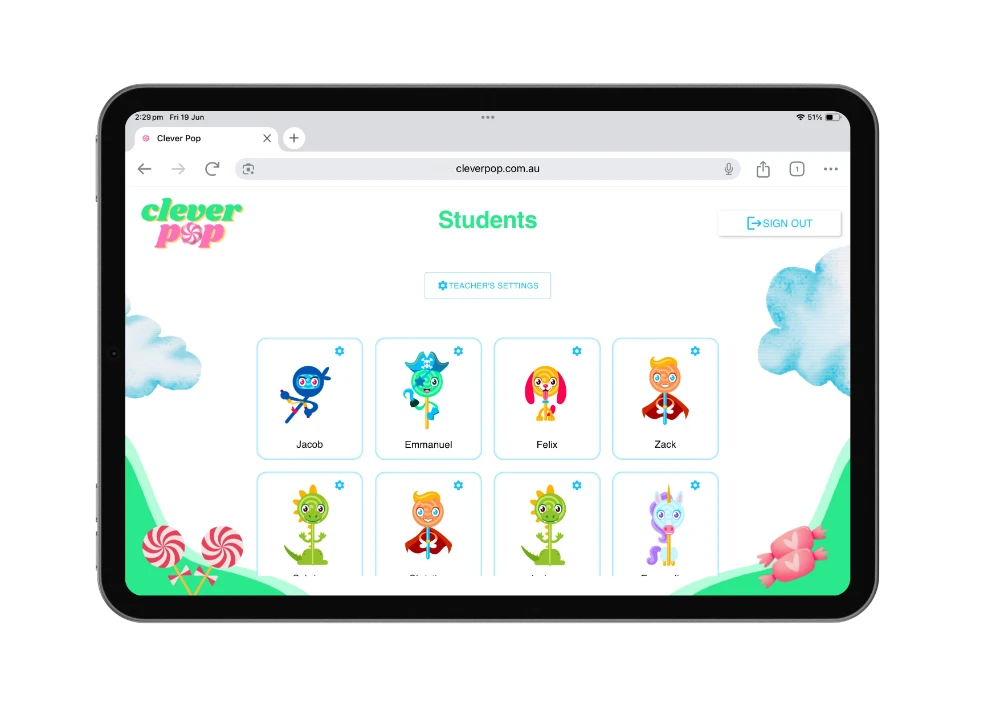
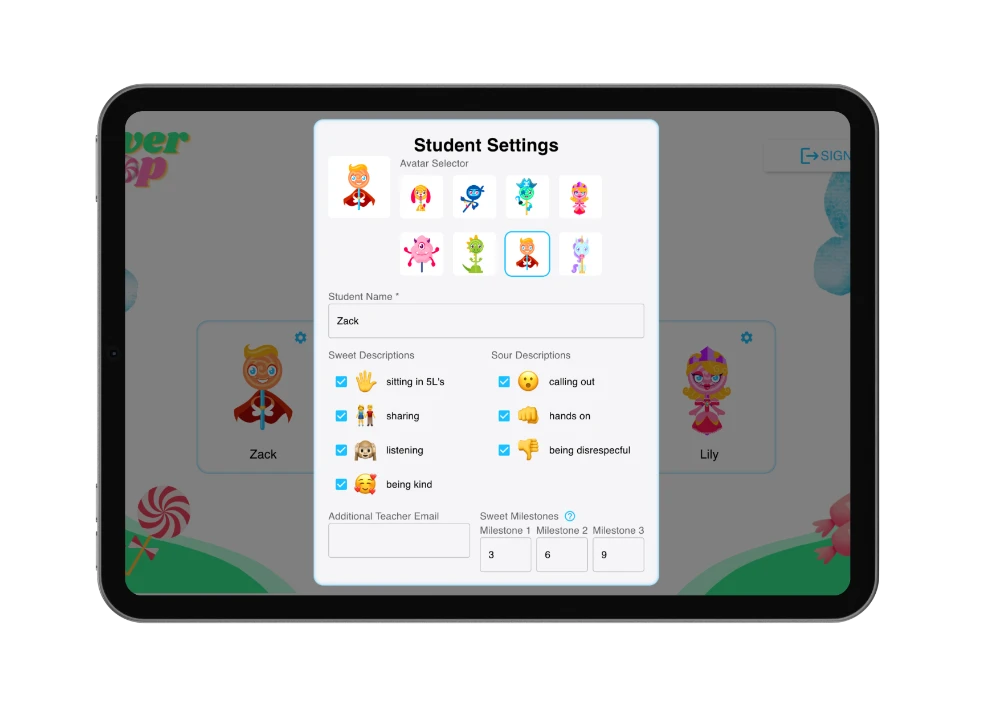
Add your students to Clever Pop and let them choose their own avatar. Create personalised behaviour goals tailored to each student’s needs.
STEP TWO
Choose Sweets & Sours
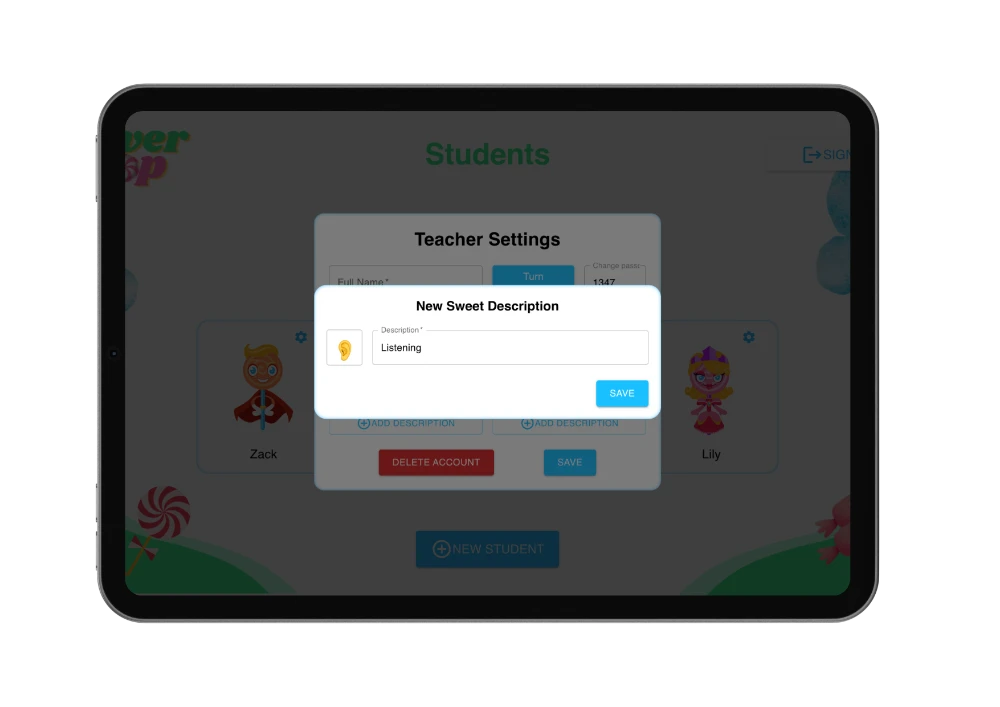
Select the positive behaviours you want to encourage (Sweets) and the behaviours you’re working to improve (Sours). Customise them to suit your classroom.
STEP THREE
Track In Real Time
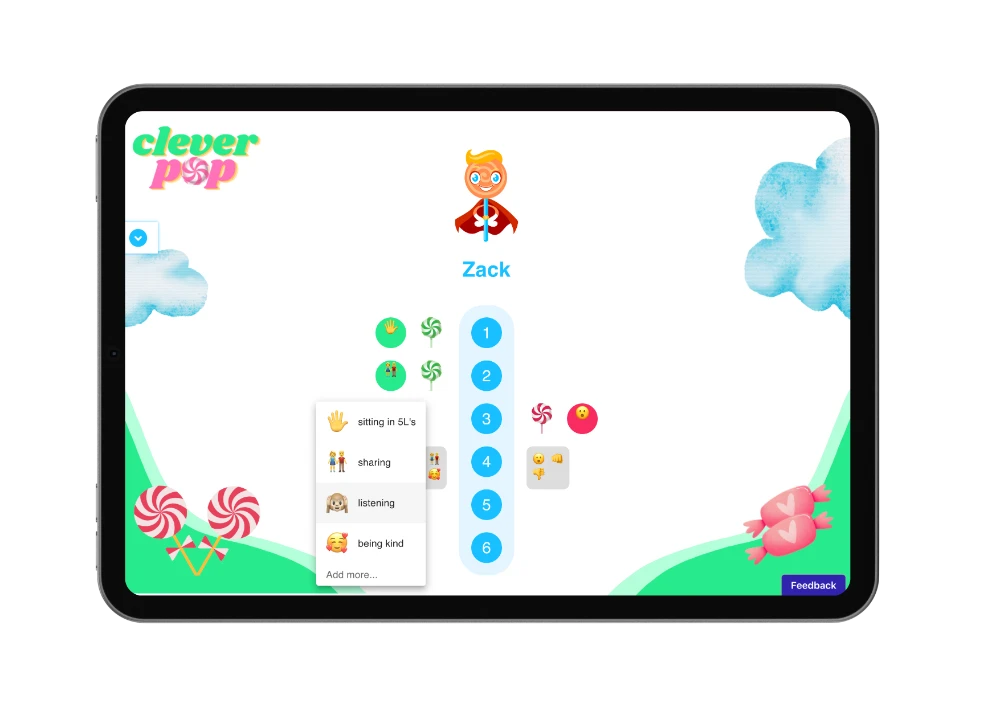
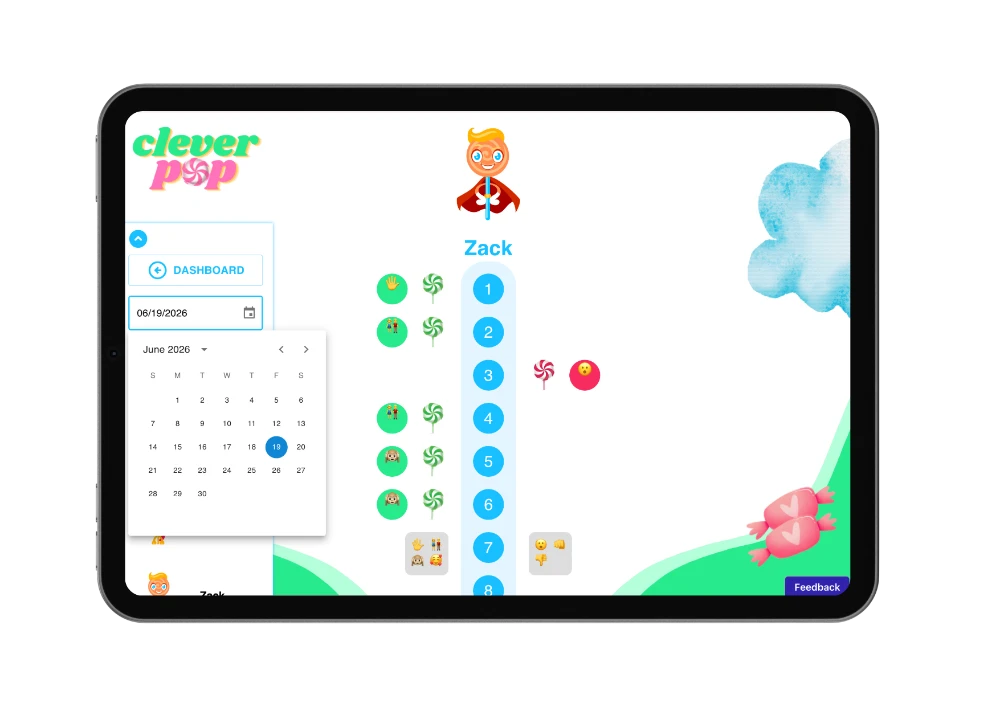
Log behaviours instantly with a single tap. No extra admin, no disruption – just quick, consistent feedback throughout the day.
STEP FOUR
Set Milestones & Rewards
Motivate students by linking goals to meaningful rewards – stickers, free time, or anything that inspires your learners.
STEP FIVE
Review Progress & Share
Use the calendar and behaviour data to monitor progress over time. Share insights with parents, colleagues, or leadership to support student growth.
Frequently Asked Questions
FAQ
What is Clever Pop?
An individual behaviour management platform using personalised points to reinforce progress towards expected classroom goals.
What makes Clever Pop different from other methods of behaviour management ?
Clever Pop is fully digital, student-centred and customisable – designed to support individual, class, and grade-level needs. Unlike traditional systems, Clever Pop allows teachers to co-create behaviour goals with students, provide immediate recognition for positive choices, and track behaviour in real time.
How do I use Clever Pop?
Clever Pop is designed to be simple and easy to use. For step-by-step guidance and tips, go to the Resources page of our website and click on ‘Teacher Manual.’
Who is Clever Pop designed for?
Clever Pop benefits all students by supporting personalised behaviour goals and consistent recognition. It’s ideal for students needing extra support, as well as whole-class or grade-level behaviour management. Teachers gain a flexible tool that encourages positive choices and tracks growth in real time.
I share a class with another teacher, how can we both use Clever Pop?
You can easily add an additional teacher to your profile in ‘student settings’ allowing both of you to access and manage the same behaviour data.
How do I add a ‘sweet’ or ‘sour’ description to a student’s dashboard?
1. Click ‘Teacher Settings’ on your teacher dashboard
2. Click ‘Add Description’
3. Click ‘Student Settings’
4. Select Description
What are ‘sweets’?
Sweet descriptors are positive actions, attitudes, or behaviours that teachers want to encourage in their students. Sweets can come directly from a student’s personal plan or reflect expected behaviours for everyone. These could include staying on task, showing kindness, working cooperatively etc.
What are ‘sours’?
Sour descriptors are actions or behaviours that are disruptive, unsafe or don’t align with agreed-upon expectations. These might include behaviours identified in a student’s personal plan – like shouting out, leaving the learning space without permission, or refusing instructions – as well as general behaviours that impact others, such as being unkind or not following safety rules.
What are ‘Milestones’?
Milestones represent achieving three target numbers of sweets in a day. For example, a student’s milestones might be set at 5, 10, and 15 sweets. When a student reaches a milestone, their accumulated sweets can be traded for personalized, meaningful rewards. Visit our Resources page for ideas on how to make the most of Milestones.
What is a passcode?
A passcode is a four-digit code used to switch between student dashboards securely. It ensures that students can only access their own dashboard and nothing else. You can disable this feature anytime in the teacher settings.
How do my students sign in to Clever Pop?
They don’t! This is what makes Clever Pop so simple to use. Students access Clever Pop through the teacher’s account on any device. Using a passcode helps ensure that students can only access their own dashboards.
How can I track a student’s behaviour using Clever Pop?
1. Open the student’s dashboard.
2. Click the arrow located beneath the Clever Pop logo.
3. Use the calendar to choose any date and view the student’s behaviour for that day.
Is Clever Pop secure?
Definitely! See our privacy policy.